

Documentation Index

Fetch the complete documentation index at: https://docs.kalimna.ai/llms.txt

Use this file to discover all available pages before exploring further.

You can monitor each run that results from an enabled flow:
  1. Go to the Dashboard, click on Runs.
  2. Find the run that you’re looking for, and click on it.
  3. You will see the builder in a view-only mode, each step will show a ✅ or a ❌ to indicate its execution status.
  4. Click on any of these steps, you will see the input and output in the Run Details panel.
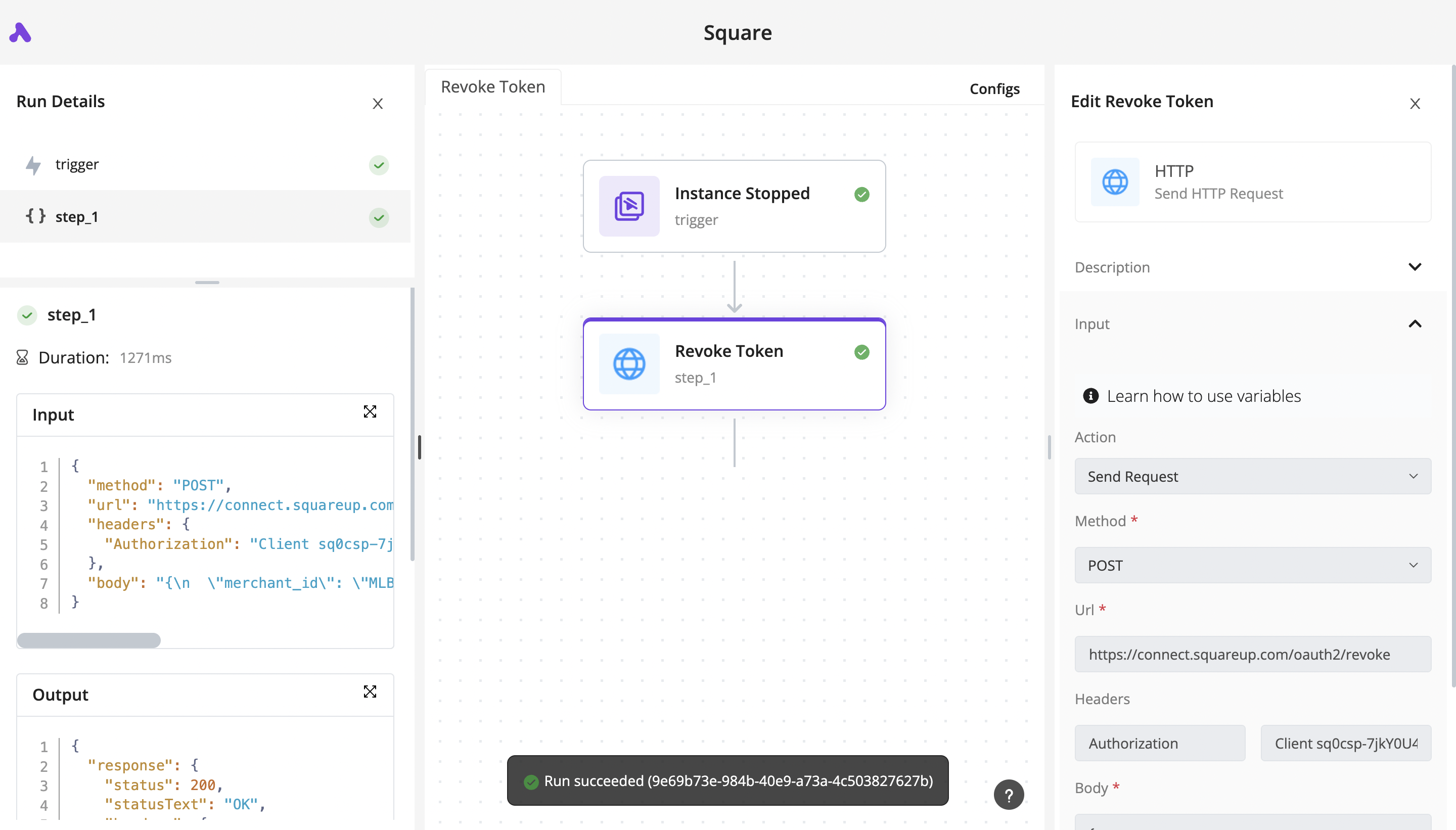
The debugging experience looks like this: Debugging Business Automations